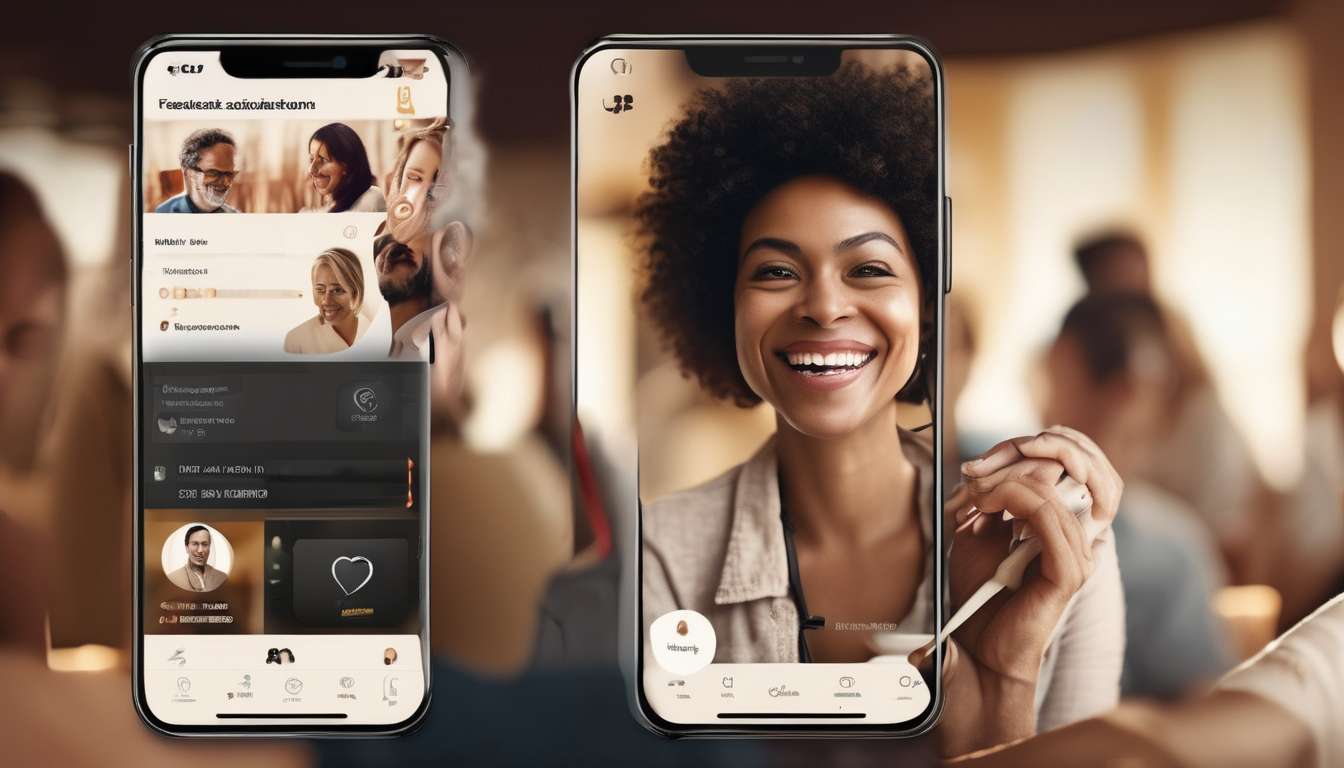
Just as major platforms rushed to update privacy settings after recent regulatory pressure, we are seeing accessibility upgrades roll out across adult dating apps in response to evolving norms and tech standards.
Companies are adding screen‑reader compatibility, captioned video features, and customizable interface options, reflecting a broader push for inclusive digital experiences.
Legislative actions, user advocacy, and high‑profile lawsuits have converged to make accessibility nonnegotiable rather than optional.
These changes stem from both ethical commitments and market incentives:
- Ethical commitments: developers and companies recognizing the right of people with disabilities to participate fully.
- Market incentives: expanding user bases and avoiding legal risk.
Developers are collaborating with disability communities to test features and iterate designs.
We celebrate incremental wins while remaining critical of persistent gaps, such as:
- Inconsistent implementation across platforms and features.
- Limited language support for accessibility tools and content.
Our aim is to map the trajectory of improvements, highlight where progress is substantive, and suggest practical steps platforms can take to ensure that adult dating spaces are welcoming to users of all abilities.
Rising Accessibility Standards
Accessibility is central, not optional.
As expectations rise, adult dating apps must meet clearer legal, usability, and ethical standards. Accessibility is central to how people find connection and feel welcome, not a secondary concern.
Prioritize inclusive design from the start.
- Make design choices that reduce barriers and signal respect.
- Embed accessibility into product roadmaps, hiring, and feedback loops.
Ensure consistent, usable interfaces.
- Consistent navigation and meaningful labels.
- Color contrast that serves everyone.
- Content structure that supports assistive technology (headings, landmarks, semantic markup).
Support diverse needs beyond screen readers.
- Address cognitive, motor, and sensory differences through flexible settings.
- Use plain language and clear interaction flows.
- Offer alternatives for complex tasks (simplified modes, adjustable timeouts, multiple input methods).
Test and iterate with real users.
- Conduct usability testing with people who rely on varied assistive tools.
- Listen and iterate so the product reflects diverse needs rather than assumptions.
Legal compliance and belonging.
- Meet legal requirements, but prioritize creating a sense of belonging.
- When apps feel easy and respectful, people stay and participate.
Make accessibility a cultural practice.
- Embed accessibility into hiring, training, and team goals.
- Integrate accessibility into design and development workflows (design systems, component libraries, automated checks).
- Maintain feedback loops and continuous testing with real users.
Together, we will build spaces where everyone can look for connection without unnecessary barriers.
Screen Reader Integration
Clear semantics and live updates
We’ll ensure our interfaces communicate clearly with assistive technologies by providing accurate semantics, dynamic live-region updates, and predictable focus management.
Key practices:
- Test components with popular screen readers.
- Label buttons and form fields clearly.
- Expose state changes so everyone knows what’s happening.
Why it matters: predictable semantics and live updates let assistive tech users understand interactions in real time.
Logical navigation and keyboard access
We’ll keep navigation logical, avoid unlabeled icons, and make interactive elements reachable by keyboard so people using assistive tech feel included.
Key practices:
- Ensure focus order matches visual order.
- Provide visible focus indicators.
- Add accessible names to icons and controls.
Inclusive design as core functionality
We’ll adopt inclusive design patterns that treat accessibility as core functionality, not an add-on.
Key practices:
- Prefer native controls when possible.
- Document ARIA roles only where needed.
- Keep announcements concise to prevent overload.
User involvement and team training
We involve people with diverse abilities in usability testing and iterate on their feedback, because belonging grows from participation.
Key practices:
- Recruit participants with a range of assistive-technology use.
- Iterate on real-user feedback, not just automated checks.
- Train our team to recognize common screen reader workflows and to write content that reads naturally aloud.
Outcome
By centering accessibility and collaborating with users, we’ll make a dating experience where everyone can connect with confidence and dignity.
Captioned Multimedia Features
We will provide accurate, synchronized captions and transcripts for all audio and video so users can follow conversations and media without relying on sound.
Captions will include speaker IDs, sound cues, and clear punctuation to convey tone and context, ensuring every member feels seen and heard.
Transcripts will be downloadable and searchable so people can reference conversations later and share content in ways that fit their lives.
We will ensure captions are compatible with screen readers and respect user preferences for text size, contrast, and language.
Our approach follows inclusive design principles:
- Automated captions will be paired with human review to improve accuracy.
- Users can suggest corrections to further increase quality over time.
We will integrate captioning tightly with the app’s accessibility settings to create predictable behavior across devices and platforms.
These features will reduce barriers to participation, foster safer interactions, and strengthen community by making multimedia accessible to everyone.
Customizable Interface Options
We let users tailor layout, controls, and visual elements—like font size, contrast, and button spacing—so the interface fits their needs and preferences.
We provide preset themes and granular controls so people can create an environment where they feel seen and comfortable.
We offer high-contrast modes, adjustable typography, and larger touch targets to reduce friction for users with vision or motor differences while fostering a sense of belonging.
We ensure compatibility with screen readers by labeling interactive elements clearly and exposing semantic structure, so everyone can navigate confidently.
Settings persist across sessions and can sync to user accounts when users want consistency.
We include simple toggles for reduced motion and voice navigation to accommodate motion sensitivity and alternative input methods.
We test with assistive-tech users to refine behavior and ensure real-world usability.
This approach reflects inclusive design principles: people choose how the app looks and works, not the other way around.
We prioritize measurable accessibility improvements and invite community feedback to keep evolving toward a more welcoming, usable experience for all.
Legal and Advocacy Drivers
Many jurisdictions now mandate digital accessibility, and we must align our app with legal requirements and advocacy expectations to avoid liability and uphold users’ rights.
We recognize legal standards push us to remove barriers, and advocacy groups keep accountability active.
We view compliance not as a checkbox but as a shared commitment to dignity.
To act on that commitment we will:
- Prioritize clear policies, regular audits, and remediation timelines.
- Ensure assistive technologies (e.g., screen readers) work smoothly across:
- registration,
- profiles,
- messaging,
- safety features.
- Document accessibility measures and provide transparent reporting so users and advocates can see progress.
- Train teams on accessibility best practices and integrate inclusive design into product roadmaps so new features meet both legal standards and community needs.
- Engage constructively with advocates and regulators when disputes arise to find solutions that protect rights and enhance belonging.
By treating legal and advocacy drivers as partners rather than obstacles, we will build an adult dating app that’s safer, fairer, and welcoming to everyone.
Co‑design with Disability Communities
We’ll co-design features and policies with people who have diverse disabilities, inviting them into research, testing, and decision-making from day one.
We’ll set up compensated advisory panels and regular co-creation sessions so lived experience guides product choices, not assumptions.
We’ll prioritize accessibility needs across sight, hearing, mobility, and cognition by testing prototypes with participants who use screen readers, switch controls, captioning, and other assistive tech.
We’ll adopt inclusive design principles that treat accessibility as a baseline, not an add-on, and we’ll document decisions transparently so contributors see how their input shapes outcomes.
We’ll create safe feedback channels that honor privacy and reduce barriers to participation, offering multiple formats and scheduling options.
We’ll share measurable goals and celebrate milestones with the community, fostering belonging and trust.
By embedding people with disabilities throughout development, we’ll build dating experiences that are usable, respectful, and delightful for everyone, keeping community voices central to ongoing product evolution.
Ongoing Implementation Challenges
We will face persistent implementation challenges.
From resourcing and cross‑team coordination to keeping features compatible with evolving assistive technologies, these challenges require sustained commitment and clear accountability.
We know obstacles won’t disappear overnight, and inclusion is a long‑term commitment.
We want everyone who uses our apps to feel included as we work through issues, so we must set transparent milestones and share progress.
Budget cycles, competing product priorities, and limited developer time force tradeoffs.
Therefore, we must:
- Set transparent milestones.
- Share progress openly.
- Establish clear accountability for decisions.
Integrating accessibility across design systems requires more than automated checks.
We need ongoing tests with screen readers and real users who rely on assistive tech.
Cross‑functional rituals keep inclusive design central to every release.
These rituals should include:
- Dev
- Design
- QA
- Legal
- Community teams
When regressions appear, we commit to timely fixes and clear communication.
This builds trust in our work.
Document decisions, assign ownership, and maintain open channels with disability communities.
By doing so, we build sustainable practices that honor belonging and create a more usable, respectful experience for everyone.
Practical Next Steps for Platforms
Start with concrete, measurable actions to improve accessibility.
-
Baseline accessibility audit.
- Conduct audits that flag issues with semantic HTML, ARIA usage, and color-contrast failures.
- Produce a clear findings report that maps each issue to severity and impacted user flows.
-
Remediation sprints with ownership.
- Assign prioritized fixes to sprint cycles with clear owners and deadlines.
- Track progress publicly and update tickets as work completes.
Include real users and make testing fair and repeatable.
-
Recruit diverse participants.
- Include people who use screen readers, keyboard-only navigation, and other assistive technologies.
- Compensate participants fairly for their time and expertise.
-
User-testing roadmap.
- Define test protocols, success criteria, and sample sizes.
- Schedule recurring tests (for example, monthly or per major release) to measure regressions.
Embed accessibility into product development workflows.
-
Inclusive design principles across teams.
- Add accessibility acceptance criteria to feature tickets and release gates.
- Require accessibility sign-off before launch for relevant features.
-
Training and shared empathy.
- Provide hands-on training in screen readers and keyboard navigation for engineers and designers.
- Encourage designers and developers to perform paired accessibility reviews.
Measure, iterate, and invite the community.
-
Track concrete metrics.
- Monitor error rates, time-to-complete tasks, and reported barriers from real users.
- Use metrics to re-prioritize fixes and inform roadmap decisions.
-
Publish an iterative roadmap.
- Share progress publicly so community members can see work, give feedback, and contribute.
- Treat accessibility as ongoing work and incorporate community input into future sprints.
Outcome: a more usable, trustworthy platform.
- By combining audits, prioritized remediation, inclusive testing, embedded acceptance criteria, training, and measurable metrics, you create a warmer, more trustworthy space where everyone feels they belong.
How do accessibility improvements affect user safety and moderation policies specific to adult content platforms?
Making adult-content platforms accessible increases participation, so safety systems must adapt.
We’ll train moderators on assistive technologies and diverse user needs.
- Train moderators to recognize how content appears through screen readers, captions, and other aids.
- Teach staff how accessibility tools change context (e.g., alt text, audio descriptions) so moderation decisions account for those differences.
We’ll update reporting options and content filters to respect accessibility.
- Provide reporting flows that work with assistive tech (keyboard navigation, screen readers, voice control).
- Ensure automated filters don’t disproportionately block accessible formats (e.g., audio descriptions or alt text used for legitimate content).
We’ll involve marginalized users in policy design and create clear, inclusive guidance.
- Co-design policies and UX with people who use assistive technologies and members of marginalized communities.
- Publish plain-language guidance about safety features, reporting, and moderation outcomes in accessible formats (large text, captioned/ audio versions, easy-read).
We’ll monitor outcomes and iterate so everyone feels protected and valued.
- Track metrics for reporting success, moderation accuracy, false positives/negatives, and user trust — disaggregated by disability and other relevant demographics.
- Use feedback loops and regular reviews to refine tools, policies, and training based on real-world results.
Will accessible dating apps expose more personal disability-related information to other users, and what privacy protections are recommended?
Question: Will accessible dating apps reveal more disability-related details, and how do we protect privacy?
Short answer: They can — but with careful design and policies you can minimize unwanted exposure and keep users in control.
Design principles to prevent unwanted disclosure
Limit profile fields and make disability info optional.
- Offer only essential fields by default.
- Make any disability-related fields explicitly optional.
- Avoid open-ended prompts that encourage detailed disclosure.
Default to private.
- Profiles and accessibility details should be private by default until the user chooses to share them.
- Provide an easy, obvious toggle to make specific info visible.
Use anonymous accessibility indicators.
- Show non-identifying signals (for example: “uses captions,” “wheelchair accessible”) rather than specific diagnoses.
- Let users select from pre-defined, neutral labels to avoid free-text exposure.
Granular sharing controls.
- Allow users to share disability or accessibility details with:
- Everyone,
- Matches only, or
- Specific conversations/people.
- Include time-limited sharing (e.g., share for 24 hours) and per-item permissions.
Strong technical protections
Encrypt sensitive data.
- Encrypt data at rest and in transit using modern standards (TLS, AES-256).
- Minimize how long and where sensitive data is stored.
Minimize data collection and retention.
- Collect only what’s necessary for features.
- Implement clear retention policies and automatic deletion options.
Anonymize and pseudonymize where possible.
- Strip or mask identifiers when doing analytics or testing.
- Treat aggregated accessibility metrics, not individual records.
Operational and policy measures
Staff training on sensitive data handling.
- Train support and moderation teams about disability privacy, consent, and non-discrimination.
- Limit employee access to sensitive fields and log access.
Easy account and data deletion.
- Provide a straightforward way to delete accounts and associated disability data.
- Show what will be deleted and allow users to export their data before deletion.
User involvement and governance
Involve disabled users in design and testing.
- Run co-design sessions, usability tests, and privacy impact assessments with diverse disabled users.
- Iterate based on feedback to ensure safety and dignity.
Transparent privacy messaging and consent flows.
- Clearly explain what disability-related data is used for, who can see it, and how to change settings.
- Use plain language consent prompts and confirmations for sharing.
Summary: With minimal default disclosure, anonymous indicators, granular controls, strong encryption, staff safeguards, clear deletion pathways, and meaningful involvement of disabled users, accessible dating apps can offer needed features without forcing disclosure. The guiding principle is user control and informed consent.
Are there specific accessibility features that help with consent communication (e.g., for nonverbal users), and how should platforms implement them responsibly?
Yes — there are specific accessibility features that help with consent communication.
Explicit consent tools
- Customizable yes/no buttons
- Pre-set consent phrases
- Visual timers
- AAC-compatible templates for nonverbal users
Implementation principles
- User control and granular privacy settings
- Clear consent recording that isn’t public
- Opt-in defaults
Community and safeguards
- Co-design with disability communities.
- Provide education and guidance.
- Audit for misuse so everyone feels respected and safe.
Conclusion
Progress is real: platforms are adding screen‑reader support, captions, and customizable layouts so you can use adult dating apps more easily and safely.
What’s driven the improvements: legal pressure and advocacy have sped up changes, but meaningful access requires ongoing co‑design with disability communities and persistent testing.
What to expect: gradual rollouts — platforms will implement changes over time rather than all at once.
What to push for:
- Advocate for transparency about accessibility roadmaps and timelines.
- Demand accessible feedback channels so users with disabilities can report issues and suggest improvements.
- Insist on enforcement of accessibility standards and regular audits.
Bottom line: keep pushing platforms to adopt inclusive practices so the benefits become reliable and widespread.